Print List
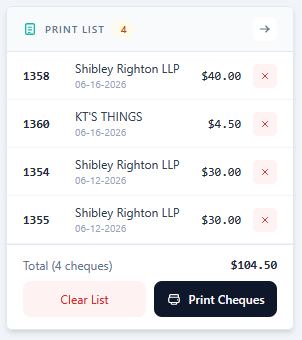
The Print List displays all cheques added from the Cheque Results section.
Expanding the Print List View

You can expand the Print List by clicking the arrow button in the section header, which opens a larger view as shown below.

Operations
There are multiple operations available for each cheque entry in the Print List:
View Detail
You can view the details of each cheque. This works the same as the View Detail feature in the Cheque Results section.
Remove
You can remove a cheque from the Print List by clicking the red X button.
Select Template
You can select the template to use when printing a cheque. If no template is selected, the default template will be applied.
Print
You can print cheques by clicking the Print Cheques button. Note that only users with the appropriate permissions can print.