Running & Scheduling Reports
Running a Report
Each report has its own set of parameters in the Run tab. While parameters differ per report, the following controls are always available:
| Control | Purpose |
|---|---|
| Run Mode | Choose between Run & Wait (immediate) or Background |
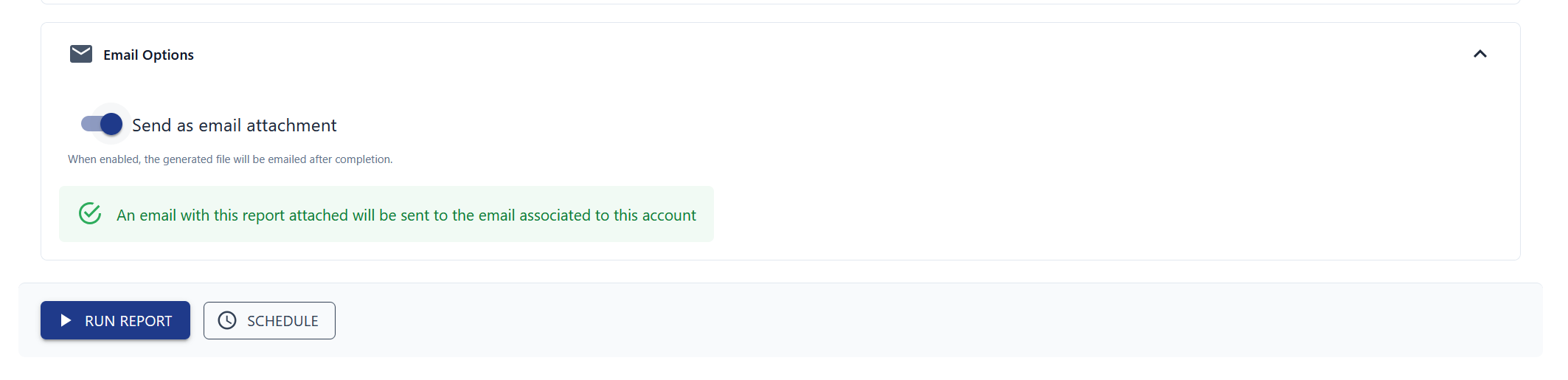
| Email Options | Optionally send the output as an email attachment |
| RUN REPORT | Execute the report with your current parameters |
| SCHEDULE | Set up a one-time or recurring schedule |
Run Modes
- Run & Wait — the report runs immediately. Once finished, the output opens in a new browser tab.
- Background — the report runs in the background. Retrieve the results from the History tab or via email if you enabled that option.
tip
Check "Send as email attachment" before running a background report so you get notified as soon as it's done.
Scheduling a Report
To run a report at a later time or on a recurring basis:
- Set your desired parameters in the Run tab.
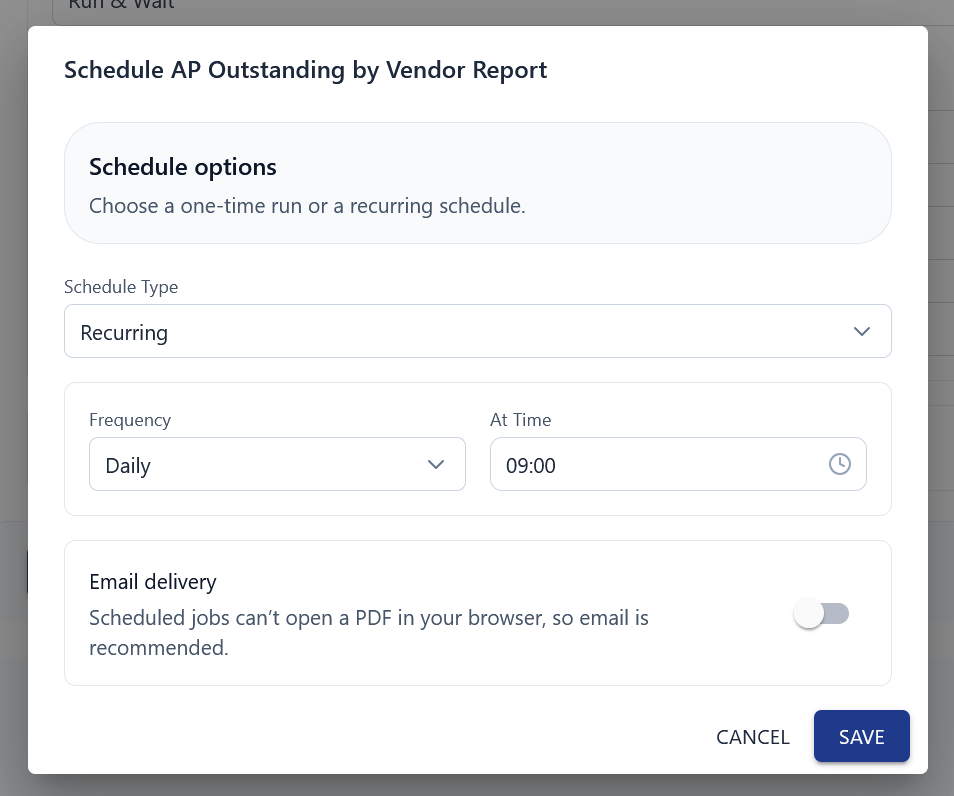
- Click "SCHEDULE" at the bottom of the report.
- Choose a schedule type:
- Run Once — runs a single time at the date and time you specify
- Recurring — runs at a regular interval (daily, weekly, etc.)
- (Recommended) Enable Email Delivery so you're notified when the report finishes.
- Confirm the schedule.
You can view and manage all scheduled jobs from the Scheduled Jobs tab.